Flexible music search
Use the details you know to begin your search. Combine a title with the performer to narrow the results, or add a description such as acoustic or live. A YouTube URL gives you another way to start with a particular recording.

By searching, you agree to our Terms of Use.
Search by song, artist, or YouTube URL to find available MP3 and MP4 download options.
Find your next favourite song.
 Nayvee's PrayerDJ Zinhle, Nayvee Womculo, Young Stunna
 RememberTman Xpress, Mellow & Sleazy
 PoloEmpro, Mlindo The Vocalist
 Myeke (feat. Sne Ntuli)Mshinwemali
 BETHII BETHII (feat. Anathii Deejay & Frostiano)Bello B, Dladla Mshunqisi
 DistanceFEZA, Lwah Ndlunkulu, MaWhoo, FEZA
 Ama hem hem (feat. ShaunMusiq)Thatohatsi, Sjava
 Wo Lo (feat. Sino Msolo & Konke)Mihlali The Guy, Dankie Boi, Mr Thela, Cairo CPT
 Luqale sakudlalaG-Jealous
 Gumba Fire (feat. Mr. JazziQ)Focalistic, Optimist Music ZA, Benzoo, Mellow & Sleazy
MUSIC AND AUDIO
Mp3Juice lets you search for music in your browser and open the available download choices for a recording. Start with a song or artist name, or paste a YouTube URL when you already have a specific source in mind. Choose a matching result, then review its existing result or conversion page. Available sources and formats vary, so each recording may offer different options.
Use the details you know to begin your search. Combine a title with the performer to narrow the results, or add a description such as acoustic or live. A YouTube URL gives you another way to start with a particular recording.
Review the MP3 and MP4 choices offered for your selected result. MP3 suits audio listening, while an available MP4 option can be useful when you want video too. Choose a format that works with your device and preferred player.
Homepage search does not require registration. Open Mp3Juice in a browser on your phone, tablet, or computer and enter your query. You can begin finding recordings and reviewing their available choices without installing a dedicated search app.
Type a song title, artist name, or YouTube URL into the homepage search field, then select Download to view results. For a particular version, include a useful detail such as radio edit or piano cover rather than a long list of unrelated words.
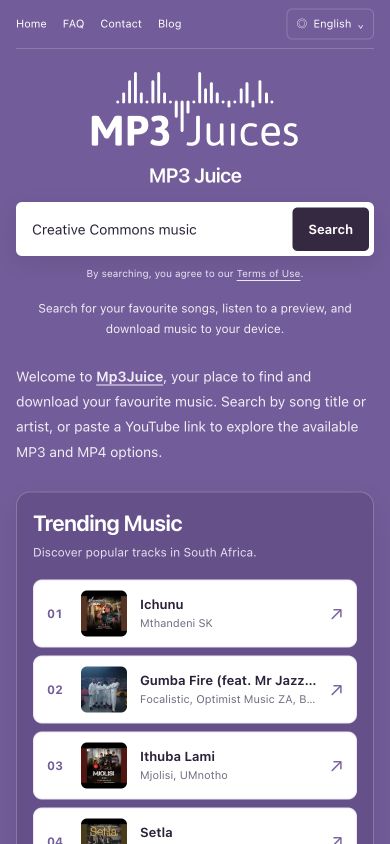
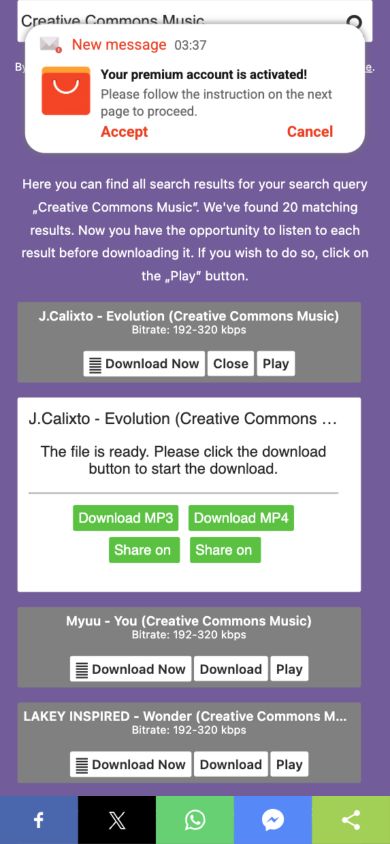
Compare the result titles, artists, and durations before choosing. Use Play to preview a recording when that option is available. Select Download on the matching result to open its result or conversion page and see the formats offered for that source.
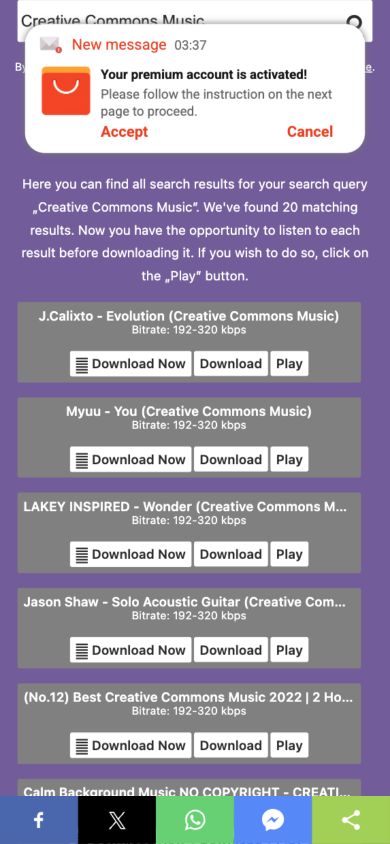
Choose Download MP3 or Download MP4 when offered, then follow the page instructions. Wait for the download to finish before opening the file. Find the saved copy in your browser's download list or device storage, open it with a compatible player, and check that it plays offline.
MP3 / MP4
If several recordings share a title, add the artist first. An album name or version detail can help distinguish a studio track from a concert performance or remix. Check the duration to avoid selecting a short excerpt when you want the full recording. If your search becomes too narrow, remove extra details and try again.
Check where your browser saves files so you can find them later. Look in Downloads on many computers and Android devices, or check Files and browser settings on iPhone and iPad. Give files recognizable names and group related recordings in folders. Before travelling, disconnect from the internet and test the local files in your listening app.
If a result is missing, check your spelling or try a simpler query. A source may no longer be available. If a download stops, check your connection and free storage before retrying. For a file that will not open, confirm that the download finished and your player supports the format. Renaming an incomplete file will not repair it.
Mp3Juice, Tubidy, Fakaza, and Ytmp3 offer different workflows for finding music and reaching download options. Depending on the service, the starting point may be a song search, release browsing, or a video link. Use an approach that suits the information you have, then review the choices for the recording.
| Service | Focus | Start with | Keep in mind |
|---|---|---|---|
| Mp3Juice | Music search and conversion | Title, artist or YouTube link | Check the recording and available formats |
| Tubidy | Music and video discovery | Search or browse, depending on the site | Different domains may offer different features |
| Fakaza | South African music releases | Artist, genre or release page | Browse releases and music articles |
| Ytmp3 | YouTube conversion | A YouTube video link | Output depends on the source and service |
Mp3Juice operates independently of Tubidy, Fakaza, and Ytmp3. This comparison concerns workflows, not speed or quality rankings. Features and source availability may change.
FAQ
Yes. Paste the YouTube URL into the homepage search field to start with that source. You can also search by song or artist. Results and download choices depend on source availability.
No. Homepage search is available without an account. Enter your search in the browser, select a matching recording, and review the choices on its result or conversion page.
Choose MP3 for audio listening, or MP4 for video when offered. Check that your player supports the selected format. MP4 does not automatically provide better audio quality than MP3.
Yes, once a completed file is saved on your device and works in your player. Test the saved copy with your connection turned off. Playing a browser preview does not save an offline file.
No. Conversion quality is limited by the source. A higher bitrate cannot recover missing detail or remove distortion already present in the recording. Preview when available and check the completed download.
Download only recordings you have permission to save. This may include your own recordings or material with a licence that allows downloading. Check the source's terms if unsure; appearing in search results does not establish permission.
Find the right MP3Juice result faster with a controlled query method using artist names, original spelling and version clues instead of repeated guesses.
Find music releases by year with MP3Juice while distinguishing original dates, uploads, reissues and remasters, using clear artist and edition clues.
Find remixes and DJ tracks with MP3Juice by checking remix credits, edit names, source duration and listening clues before choosing a recording.
Articles and information pages are in English.
Enter a song, artist, or YouTube URL, find the right version, and explore its available download choices.